Seeing the world in new ways: how Prof. Golan Levin teaches with ComfyUI at Carnegie Mellon University
"For me, ComfyUI is not just about generative AI. It's an image-processing workstation for completely new kinds of work."

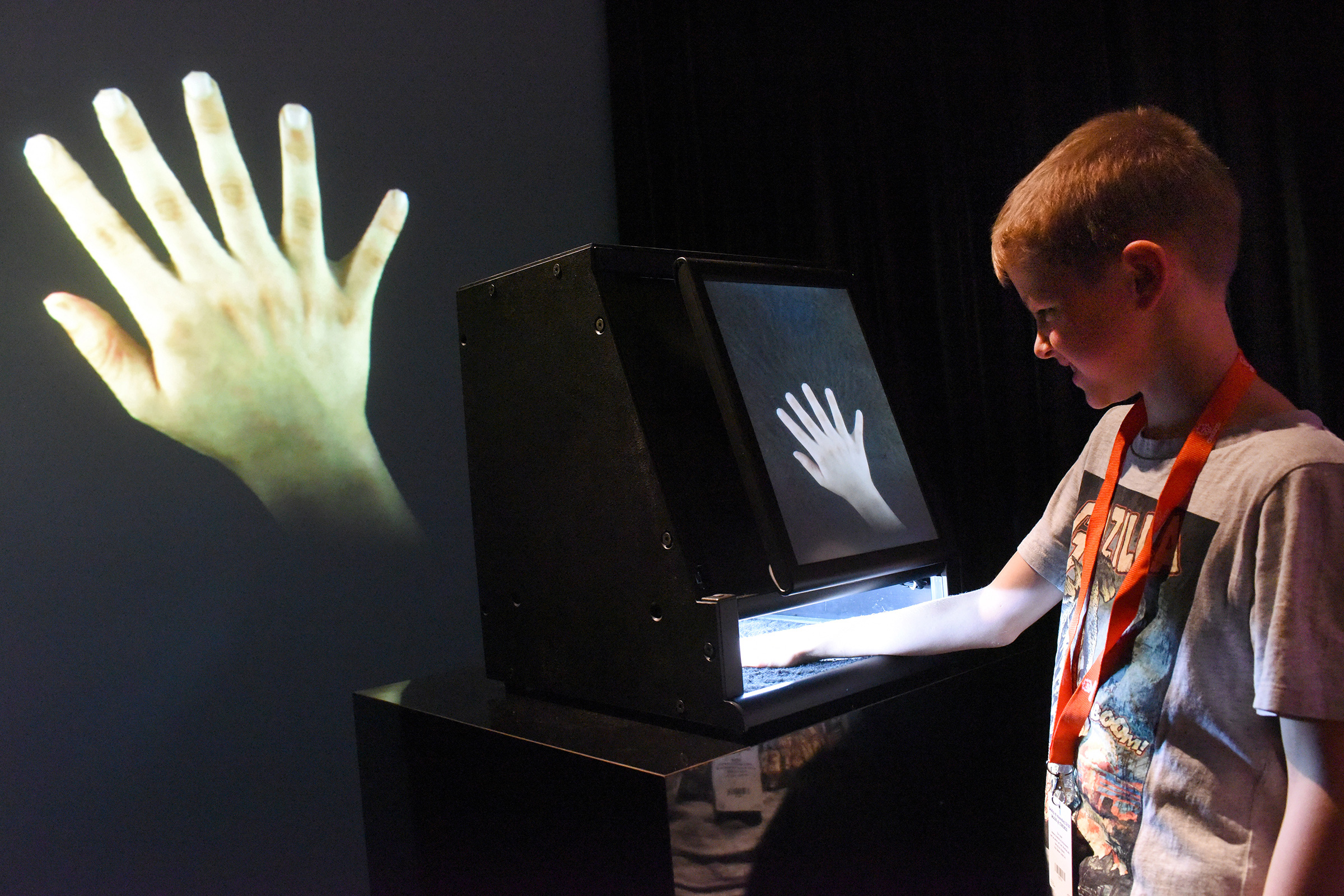
For many people, AI in the arts means image generation. But Levin has spent much of the past two decades teaching artists how computers can interpret, analyze, and measure the visual world. His own artworks have long explored machine perception through real-time computer vision systems, and since 2024 he has increasingly used ComfyUI to teach these principles.
For Levin, ComfyUI is less an image generator than an image-processing workbench. Students use it to assemble custom workflows for segmentation, tracking, depth estimation, and other forms of computational perception. The result is an environment where artists can experiment directly with research-grade machine learning tools and combine them into systems of their own design.
Where does ComfyUI fit in what you're trying to do?
I'm training creative technologists and technologically literate artists. The typical student in my Creative Coding class is a true hybrid: an art or design undergraduate who is also studying computer science, human-computer interaction, or information science. They have strong visual abilities, strong cultural literacy, and strong algorithmic thinking skills, but my course may be the first time they've had the opportunity to bring those together.
To me, that means giving students tools they can understand, modify, and remix to make systems of their own design, rather than treating creative software as a fixed given. That's why I'm such a proponent of community-driven, open-source software development toolkits for the arts.
"ComfyUI is the first AI tool I've found with both a low floor and a high ceiling. It's incredibly powerful and flexible, in terms of allowing artists to design their own AI workflows with the latest cutting-edge algorithms. But it also leapfrogs the headaches of coping with quirky GitHub repos and obsolete Colab notebooks."
What were students stuck on before?
Students often found themselves caught between two worlds. On one side were commercial AI tools that produced impressive results but offered limited opportunities for customization. On the other side were research projects published by universities and laboratories, where the software was often difficult to install, poorly documented, or already out of date.
ComfyUI bridges that gap. It gives students access to state-of-the-art algorithms through an environment they can understand, modify, and extend. Instead of adapting their ideas to fit a tool's built-in workflow, they can build workflows that reflect their own interests and questions.
"My students are explorers. They're artists who can write code and want to build systems that haven't existed before."
The first exercise: a p5.js sketch driving image synthesis, inside ComfyUI
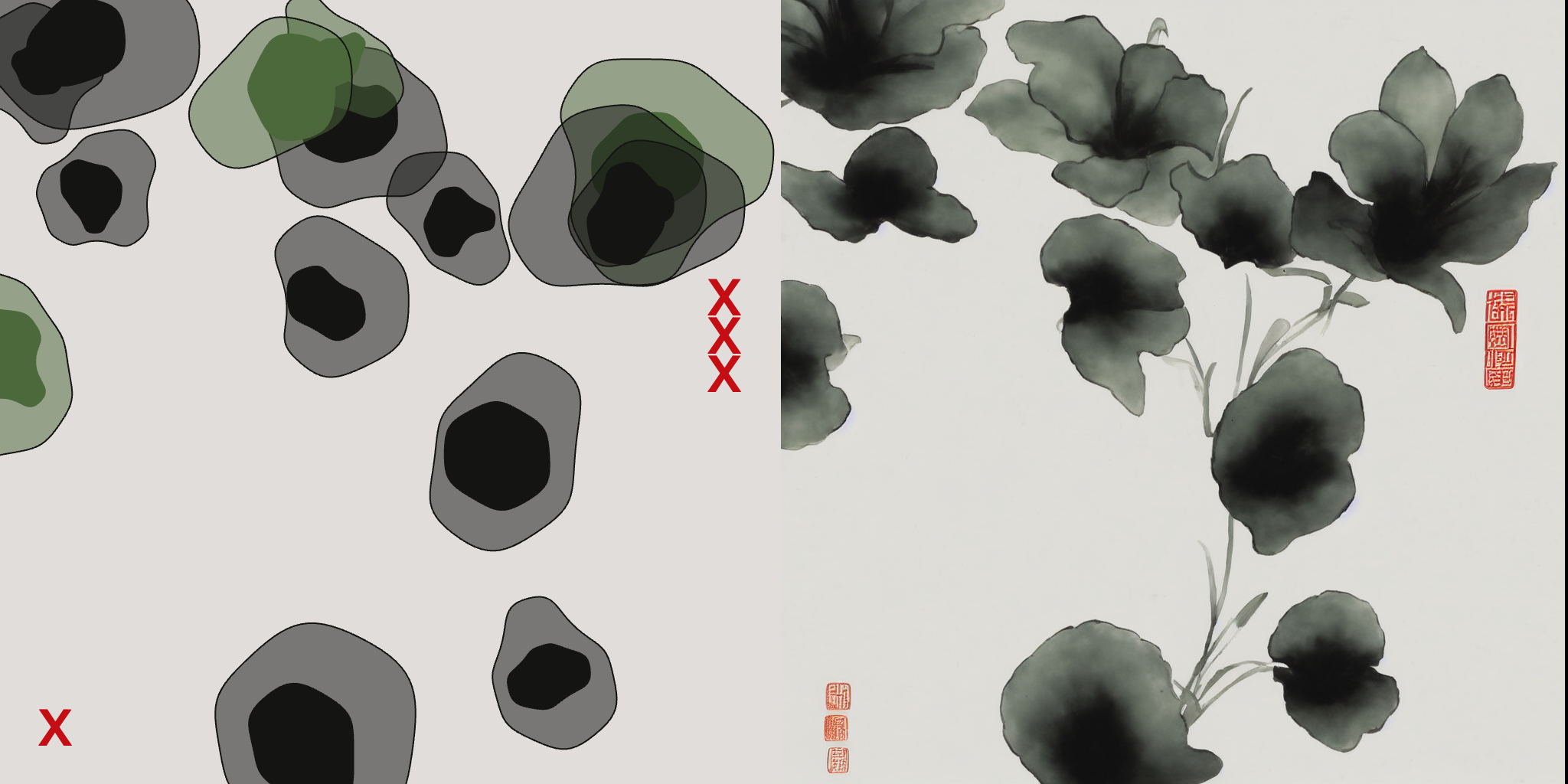
In one of Levin's introductory exercises — students' first exposure to the ComfyUI environment — they write a simple p5.js sketch directly inside ComfyUI, then use the shapes they draw, plus a text prompt, to guide a Stable Diffusion image synthesis. They document the pairs of images it produces: their JavaScript canvas drawing on the left, and the AI synthesis on the right. Having already spent a few weeks fighting to get nuance out of p5.js, they're tickled to get these results from simple shapes, and they learn a lot about how Stable Diffusion works.

It runs on a node-based canvas that art students pick up quickly, because it works like tools they already know.
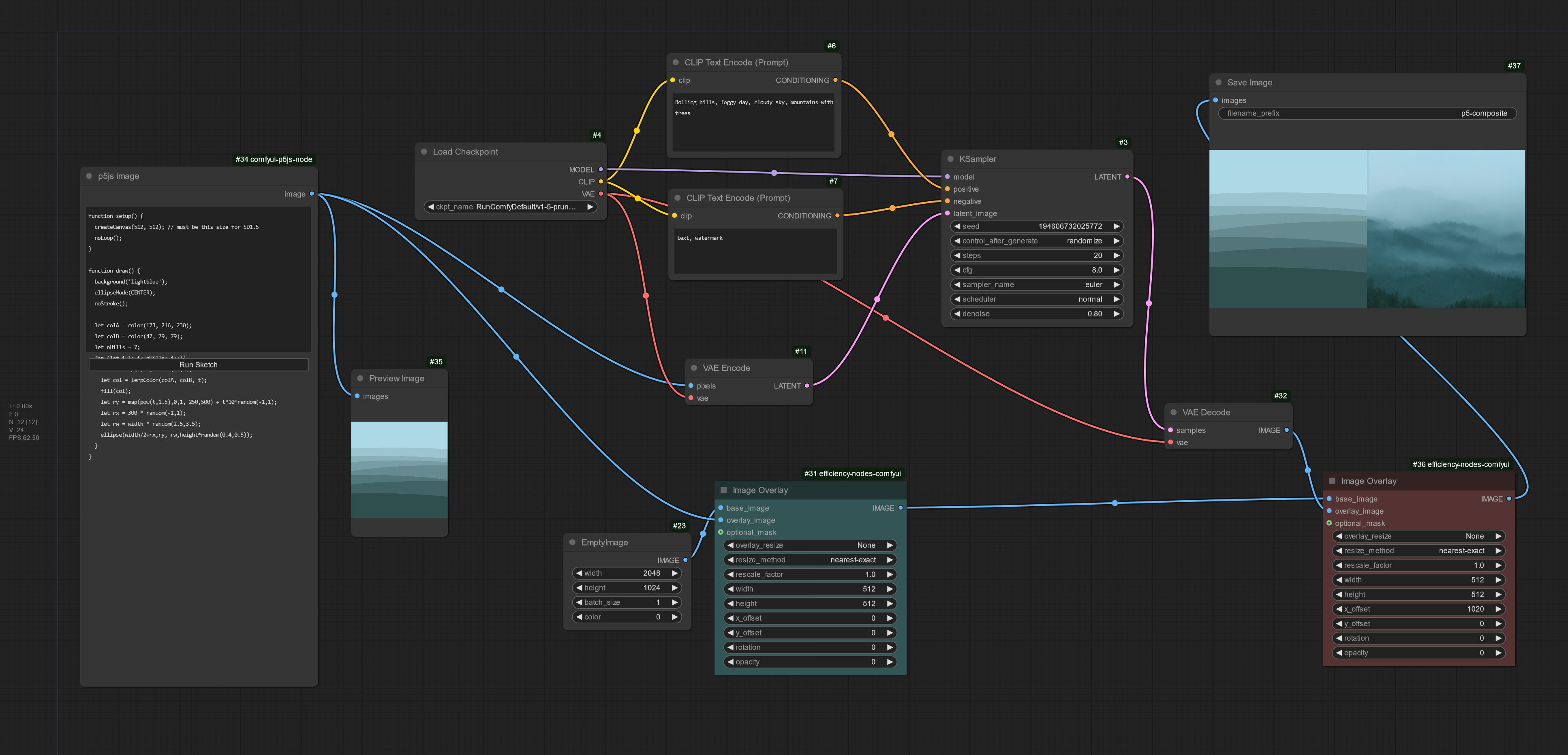
Try it yourself: json file (Comfy Local only)
Many artists start off by using ComfyUI for generative AI. You use it differently.
Maybe so. I'm interested in AI as a framework for expanded perception, so a lot of how I've used machine learning and computer vision over the past 25 years has been for image analysis, rather than image synthesis. Essentially, I use computer vision to understand video and images, and then use the information I extract to create new kinds of interactive experiences. In the classroom, I use ComfyUI to help teach students how to "see like a machine." So I have students use ComfyUI as a framework for analyzing images, not just generating them. For example, I ask them to take an input image and then use AI to compute new ones from it, such as a semantic segmentation ("which pixels belong to the elephant?") and a monocular depth estimate ("how far away is each pixel?"). Then the students build an interactive piece that interprets the original image, but using five channels of information instead of three: the usual red, green, and blue, plus depth, plus segmentation. In my demo project, the segmentation colors the elephant pink, and the background pixels change size based on how far away the AI thinks they are.
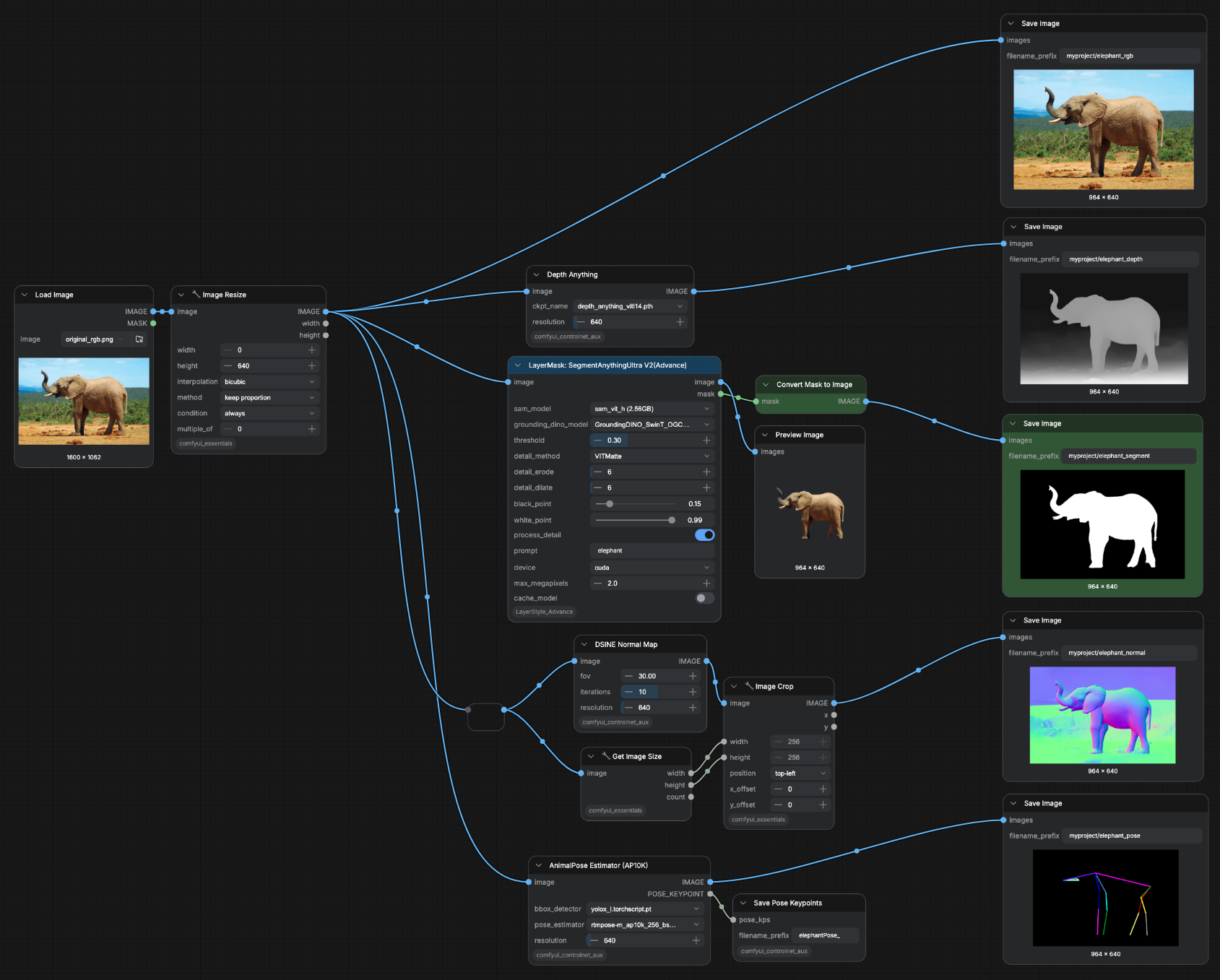
Try it yourself: demo project · lesson plan & workflow
Workflow files: download the .json, or the .png with the workflow embedded in its metadata (drag it into ComfyUI to load the graph).
"I want students to understand that AI is not only a tool for generating images. It's also a tool for perception, measurement, and analysis."
The computer vision tools built for this are usually aimed at developers and enterprises. They assume an engineering workflow. I wanted my art students to get to segmentation, depth, and tracking inside an environment they already think in, without standing up a production pipeline first.
What changed once ComfyUI was in the workflow?
Two things. First, it runs on a node-based canvas that many art students already understand from environments like TouchDesigner, Max/MSP, and Grasshopper — except it runs in a browser and it's for AI. As a result, students can focus on the ideas behind machine learning workflows instead of first learning an entirely new interaction paradigm. Second, it collapses the distance between a research lab and a classroom.
"There's a fast pipeline from the lab to your classroom. It's become commonplace for enthusiasts to convert AI research code into Comfy nodes, often within days of their release."
One of the most remarkable things about the ComfyUI ecosystem is how quickly new research becomes accessible. A computer-vision paper might appear at CVPR or ICCV, and within days someone in the community has wrapped it as a reusable ComfyUI node. For educators, that dramatically shortens the distance between a research laboratory and a classroom. Instead of spending weeks reconstructing an experimental software environment, students can begin exploring the underlying ideas almost immediately.
The cloud matters for accessibility and equity, too. Most of my students don't have big GPU workstations, and I don't want their access to advanced tools to depend on the caliber of their personal hardware. Cloud platforms make it possible for everyone in a class to work in the same environment, with the same models, regardless of what laptop they happen to own.
In your advanced Experimental Capture studio, you've turned ComfyUI into a computer-vision lab.
The goal of this course is to use technologies to help us see the world in new ways: the very fast, the very slow, the very small, the very large, and in spectra beyond human perception, like IR and UV. It's about cultivating the students' curiosity. But the limitation in this studio is hardware. We have one camera that can shoot 100,000 frames per second, one high-resolution thermal camera, and access to one electron microscope — but we've got 20 students. We can't always queue them all up for one exotic camera; it's a bottleneck.
"I need to give them tools they can use to see the world in new ways, that they can all run on their own hardware."
ComfyUI allows students to use their own phones to ask questions they couldn't before. So they duct-tape their phone camera to a window, record the world going by, and then track things with the LocateAnything and SAM3 ComfyUI nodes, producing data files that distill what the camera saw. ComfyUI becomes a laboratory for computational observation, allowing students to ask questions of images and videos that would otherwise be difficult to formulate.
You also wrap niche research libraries into ComfyUI nodes yourself.
One of the remarkable things about the ComfyUI ecosystem is the community that forms around it. There's a hero of mine on GitHub, Kijai, who keeps taking libraries from computer vision labs and turning them into ComfyUI nodes. He's made hundreds, probably doing more than anyone to turn lab-grade models into tools anyone can use. My students and I are starting to do this too. Niche is the right word. Right now I have my eye on a zoology lab that released a good library for tracking insect legs. The people who made it probably don't even know what ComfyUI is. But I want that algorithm for my students, and there's gotta be someone else out there who would love it too.
What's the bigger pattern you see in your students?
My students are explorers. They see a new tool and immediately start wondering what else it could be connected to. They explore: I should be able to combine this thing with that other thing. That's the whole reason to give them a system they can build on, instead of a tool that tells them what they're allowed to do.
"We're educating students who want to invent new forms and experiences, not just reproduce existing ones."
At a glance
- Courses
- Intermediate Studio: Creative Coding (60-212); Experimental Capture (co-taught with Nica Ross)
- Level
- Undergraduate (sophomore studio + advanced studio, ~20 students)
- Setup
- Cloud-hosted ComfyUI; runs on students' own laptops
- Core techniques
- p5.js-driven synthesis; semantic segmentation; monocular depth; LocateAnything + SAM3 tracking
- Distinctive angle
- ComfyUI as computer-vision lab, not just a generator
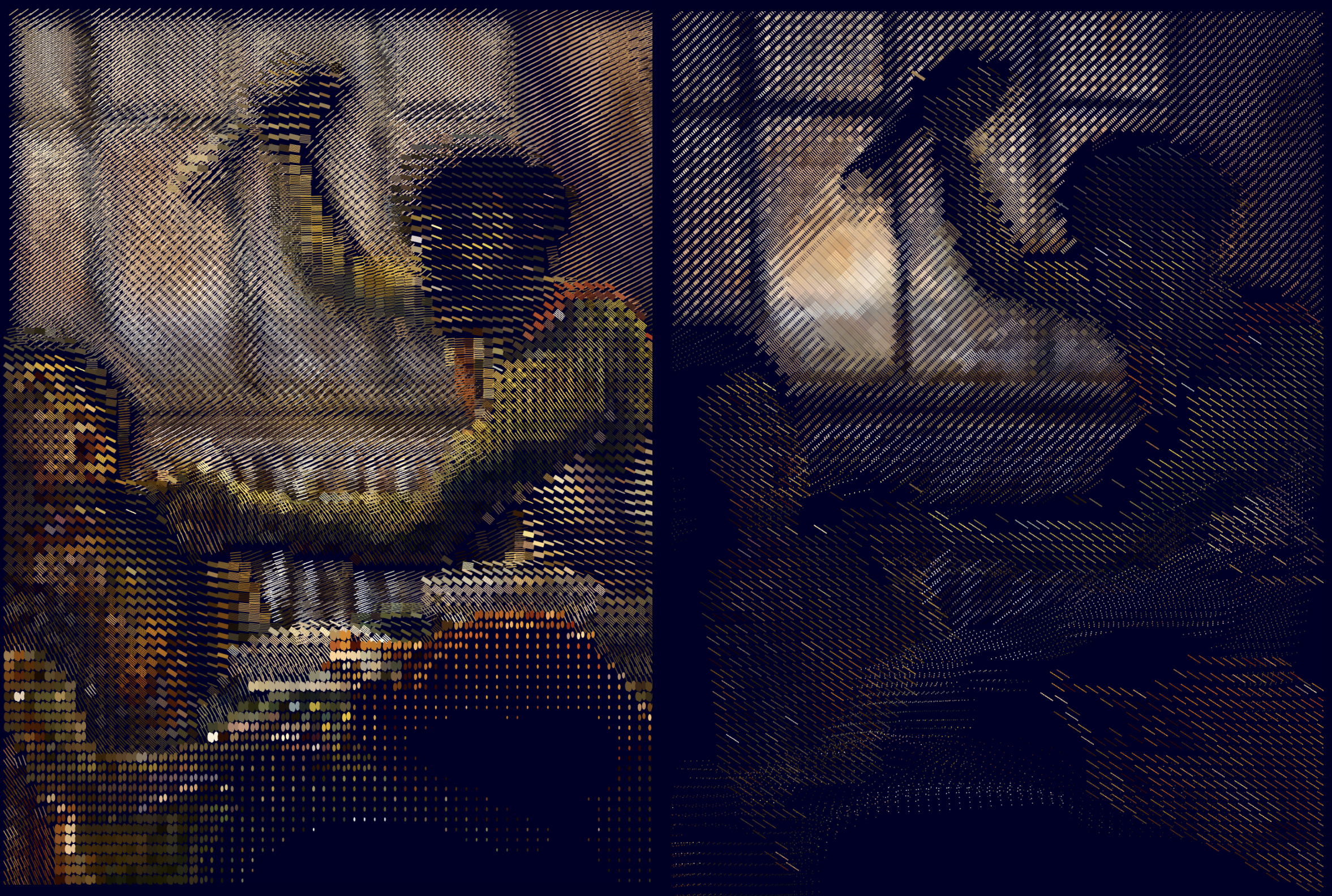
Student work




Golan Levin
Golan Levin is a Professor of Computational Art at Carnegie Mellon University and co-author, with Tega Brain, of "Code as Creative Medium." This fall he is teaching two CMU courses with ComfyUI: "Intermediate Studio: Creative Coding" (60-212), built around p5.js, and "Experimental Capture," a studio in computational and expanded photography he co-teaches with Nica Ross. Levin is also widely known for interactive art installations driven by real-time machine vision, such as his Augmented Hand Series (2014), created with Kyle McDonald and Christine Sugrue.
Teaching with ComfyUI? The Comfy Education Program is live: educational pricing, classroom cloud accounts on one invoice, Explore the Education Program or apply to be a part of the Creative Campus program if you're interested in exploring a deeper partnership with Comfy.
What's next?